













































In short: PAC cards are the access control cards and key tokens that open doors on a PAC system: present the card to a PAC reader and the door releases. There are two families. KeyPAC is the low frequency 125kHz proximity line, while PAC OpsTM is the 13.56MHz MIFARE and DESFire line. PAC has changed its part codes over the years, so the safest way to reorder is to match the code on your current card to the new one, then check that your readers read that technology.
What are PAC cards?
PAC cards are credentials for PAC access control readers and controllers. Each card carries a coded chip that the reader checks against the controller, which then decides whether to unlock the door. They need no batteries and are read without contact, so staff simply hold the card near the reader.
Most of them are ISO cards in the standard CR80 size of 85.6 x 54mm with a thickness of 0.76mm, the same as a bank card. That means they fit any lanyard, wallet or card holder built for a standard ID card. The cards and tokens are sold in packs of 10.
Which PAC cards and tokens are there?
The table below lists the PAC cards and tokens on our PAC access control pages, with the current part code and the older codes you may see printed on existing cards or old paperwork.
| Credential | Current part code | Previous codes | Technology |
|---|---|---|---|
| KeyPAC ISO proximity card | PAC-CD-CR-KPAC | 21030, 21018, K3011, 909021018 | KeyPAC 125kHz proximity |
| KeyPAC ISO card with magnetic stripe | PAC-CD-CR-KPAC-M | 21031, 21019 | KeyPAC proximity plus magnetic stripe |
| PAC ISO proximity card | PAC-CD-CR-PACC | 21039, K2011B | PAC low frequency proximity |
| PAC ISO card with magnetic stripe | PAC-CD-CR-PACC-M | 21041, K2011M | PAC proximity plus magnetic stripe |
| PAC ISO card punched long edge or short edge | 21039/1 and 21039/2 | None | PAC low frequency proximity |
| PAC Smart Card (MIFARE 1K) | PAC-CD-CR-OPSL | 21105, 40090 | 13.56MHz MIFARE |
| PAC OpsTM 4K DESFire EV1 card | PAC-CD-CR-OPSC | 21106 | 13.56MHz MIFARE DESFire |
| KeyPAC proximity token | PAC-CD-FB-KPAC-CLP | 20250, 20256 | KeyPAC 125kHz proximity |
| PAC OpsTM Lite 1K token | PAC-CD-FB-OPSL-CLP | 21104 | 13.56MHz MIFARE |
| PAC OpsTM 4K DESFire EV1 token | PAC-CD-FB-OPSC-CLP | 21103 | 13.56MHz MIFARE DESFire |
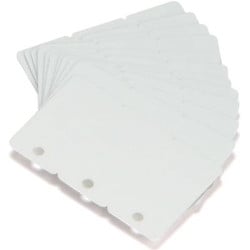
The punched PAC ISO cards are made for portrait (long edge) or landscape (short edge) wear on a clip. PAC logo coloured clips are also available for PAC tokens 20205 and 21020, so each group of users can carry its own colour.
What is the difference between KeyPAC and PAC ISO cards?
Both are low frequency proximity cards for PAC systems. They are not the same product.
- KeyPAC ISO cards work at 125kHz with KeyPAC readers. Staff present the card at doors, car park barriers and turnstiles. A genuine KeyPAC ISO card has four black dots in a square in the bottom right corner, which is a quick way to identify one.
- PAC ISO cards are white gloss cards that work with OneProx, PAC and EasiKey readers.
PAC low frequency readers support both families. The GS3 LF readers read low frequency credentials at 125kHz and 153.6kHz, covering PAC and KeyPAC cards and tokens as well as many third party Wiegand format tokens.
What are PAC OpsTM cards?
PAC OpsTM is the high frequency 13.56MHz line. It covers the PAC Smart Card with a 1K MIFARE chip, the OpsTM 4K MIFARE DESFire EV1 card and token and the lower cost OpsTM Lite 1K MIFARE token. These suit sites moving to higher security smart credentials. When used with PAC Ops smart credentials and PAC 512 or PAC 212 HF controllers, the GS3 MT readers carry AES 128 bit certification.
If you are unsure how 125kHz proximity differs from MIFARE and DESFire, our guide to proximity vs MIFARE vs DESFire explains the technologies in plain terms.
Which PAC reader reads which PAC cards?
Reader choice follows the credential technology. A low frequency reader will not read a 13.56MHz OpsTM card, so check the reader before you change card type.
| PAC reader | Reads |
|---|---|
| GS3 LF mullion readers 20110 and 20111 | PAC and KeyPAC low frequency cards and tokens, plus third party credentials via Wiegand |
| GS3 HF readers, mullion 20120 and standard 20121 | 13.56MHz MIFARE and DESFire credentials |
| GS3 MT readers, mullion 20112 and standard 20113 | Low and high frequency, including PAC, KeyPAC, MIFARE and DESFire EV1 |
| GS3 MT PIN and Prox reader 20114 | As the MT reader, with a keypad for a PIN as well as the card |
| Vandal resistant readers: LF 20116, HF 20118 and 22118 | LF or HF credentials in an IP67 rated housing for exposed doors |
| Architect A 7257712 and Architect One 7257710 | PAC Ops and PAC Ops Lite, plus mobile credentials |
PAC describes the MT readers as ideal for migrating from legacy low frequency cards to higher security high frequency credentials. Because they read both, old and new PAC cards can work side by side during the changeover. The GS3 MT mullion reader reads low frequency credentials at up to 45mm and high frequency credentials at up to 85mm.
For phone based access, PAC Blue Secure issues a private card number to a mobile phone, which then works as the credential with a supported Architect reader over Bluetooth or NFC.
How do I order replacement PAC cards?
If you are adding cards to an existing PAC system, these steps help you get the order right first time:
- Find the code. Look for a part number on the card, the box or your last order. Older codes such as 21030 or 21039 still map to a current card in the table above.
- Check the look of the card. Four black dots in a square on the front point to a genuine KeyPAC ISO card.
- Note your reader and controller. The reader model tells you whether the site reads low frequency, high frequency or both.
- Decide on extras. Choose a magnetic stripe version if the same card must also swipe through a separate system. Choose a punched card if it will hang from a clip.
If the code has worn off, send us a photo of an existing card and the controller you run. The Plastic-ID team will confirm the match before you order, because KeyPAC and PAC credentials are coded for their own system families.
Can you print photos on PAC cards?
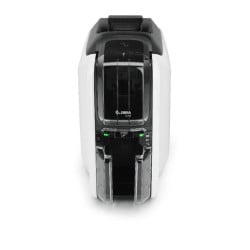
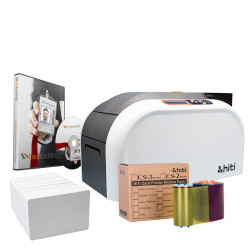
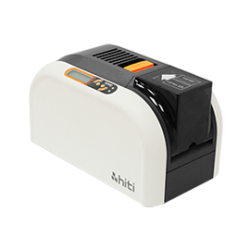
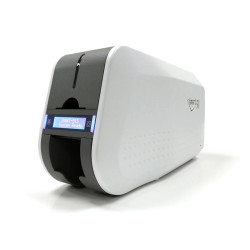
Yes. The ISO PAC cards are 0.76mm thick, so you can print photos, names, logos and barcodes onto them with a desktop ID card printer. One card can then act as the photo ID badge, the door credential and a time and attendance card. The PAC Smart Card is also printable and can be placed in a card holder as a staff or student ID card.
Some entry level direct to card printers advise against printing over embedded chips. For a large access card programme, a retransfer ID card printer prints onto a film that is then bonded to the card, which copes better with the uneven surface of chip cards. We can also supply PAC cards pre-printed with your design and encoded to suit your system. Where the chip already carries a number, that number can be printed on the card so it matches your records.
Should you choose PAC cards or PAC key fobs?
Choose an ISO card when the credential doubles as photo ID. Choose a token when no photo is needed. The KeyPAC token is made from black ABS plastic for harsh environments and clips to a key ring, badge clip or badge holder. It suits contractors, drivers and any role where a printed badge is not required. You can also mix the two on one system, for example cards for office staff and tokens for staff who work outdoors, as long as the readers read that technology.
For other systems such as Paxton, HID, Salto and TDSi, our guide to access control cards and fobs covers how to identify which credential your site uses.