



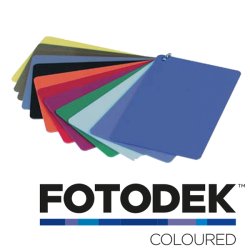
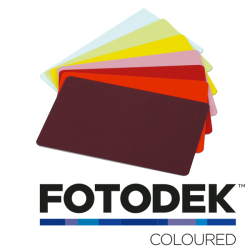
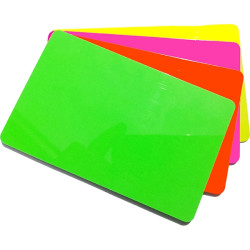
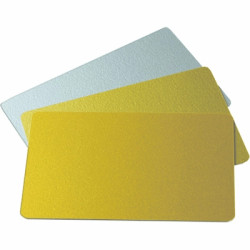































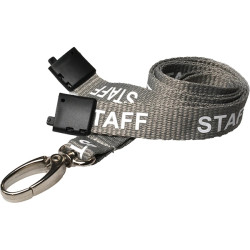






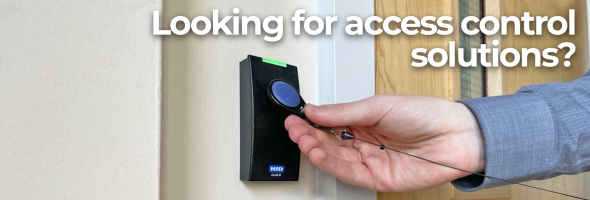


Brand: SecurAccess
Model: 21-1022-C
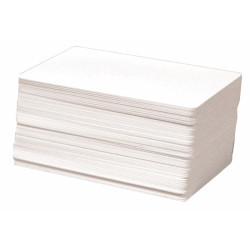
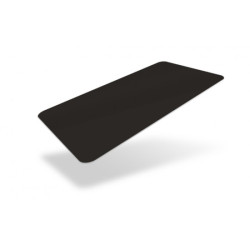
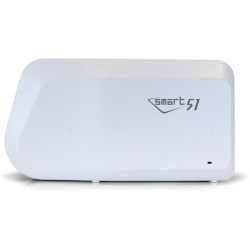
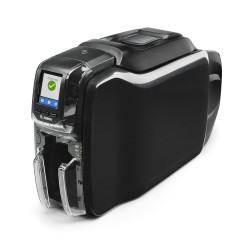
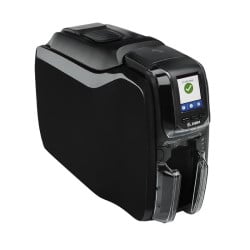
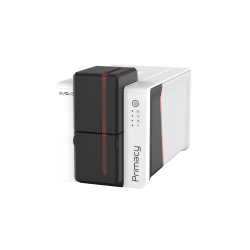
These 692-500 compatible proximity cards work alongside the 692-500 cards you already use. Each card is encoded with its own unique 8-digit number, so every card on your system can be identified individually.Entry is contactless at 125kHz, giving staff quick and simple access every time they present the card to a reader.The cards are standard CR80 size (86 x 54mm) at 760 micron thickness, manufactured to ISO standards. They print on any desktop ID card printer in full colour or monochrome, so you can add photos, names and company branding to turn them into staff ID cards.They are supplied shrink-wrapped in packs of 10.Compatible with existing 692-500 cards125kHz proximity technologyUnique 8-digit number on every cardCR80, 86 x 54mm, 760 micronPrintable on all desktop ID card printersPack of 10 cards..
£19.95
Inc Tax:£23.94

Brand: Paxton
Model: 695-644
Paxton Net2 Proximity Keyfob - 10 Pack
Manufacturer: Paxton
Manufacturer Part Numbers: 695-644
Pack Size: 10
Product Type: Keytags/Keyfobs, Contactless, Coloured
Colour: Blue
Technology: Net2, 125kHz Proximity
Frequency: 125 kHz
About Paxton Net2 Proximity Keyfob
The Net2 keyfob can be conveniently carried on the user’s keyring or can be attached to any of our lanyards, chains or badge reels for convenient, lightweight and durable door access. The keyfob can be used instead of a card in applications where a photo ID is not required
Also now compatible with the Paxton10 readers.
This product is made of a type of plastic which is not commonly recycled in the UK. It, therefore, cannot be disposed of in your normal recycling refuse collection.
We recommend taking it to your local recycling centre for a securer and more eco-friendly disposal.
.recyclingbox{border-color:#032366;border:solid;border-width:5px;border-color:#032366;border-radius:200px;padding-right:5%;margin:auto;overflow:auto;max-width:740px}.recyclingsymbol{float:left;height:auto;width:150px;padding-right:5px}.recyclinginfo{padding-top:12px;font-family:Arial;font-size:14px}@media only screen and (max-width: 1199px){.recyclinginfo{padding-top:2%;font-size:12px}}@media only screen and (max-width: 991px){.recyclinginfo{padding-top:2%;font-size:1.5vw;padding-left:5%}.recyclingbox{border-radius:25px 50px}.recyclingsymbol{width:100px;height:auto}}@media only screen and (max-width: 500px){.recyclinginfo{padding:0px 4px 4px 25px;font-size:14px}.recyclingsymbol{height:auto;width:100px;float:none;margin:auto;display:block;padding-right:0px}.recyclingbox{height:auto;width:75%;border-radius:30px}}
Frequently asked questionsAre 695-644 keyfobs waterproof?Paxton rates the Net2 proximity keyfob IPx7 for up to 30 minutes. It is made from ABS plastic and measures 45 x 14 x 10mm.What frequency do they use?125kHz. They use Paxton's Hitag2 technology with a password exchange between keyfob and reader.How far does a Net2 keyfob read on a P50?Paxton quotes 50mm on the P50 reader 353-110 and 30mm on the P50 MIFARE reader 353-467.How do I enrol a new keyfob?Present it to a Net2 desktop reader. The new user wizard opens with the keyfob number so you can enter the user's details.{"@context": "https://schema.org", "@type": "FAQPage", "mainEntity": [{"@type": "Question", "name": "Are 695-644 keyfobs waterproof?", "acceptedAnswer": {"@type": "Answer", "text": "Paxton rates the Net2 proximity keyfob IPx7 for up to 30 minutes. It is made from ABS plastic and measures 45 x 14 x 10mm."}}, {"@type": "Question", "name": "What frequency do they use?", "acceptedAnswer": {"@type": "Answer", "text": "125kHz. They use Paxton's Hitag2 technology with a password exchange between keyfob and reader."}}, {"@type": "Question", "name": "How far does a Net2 keyfob read on a P50?", "acceptedAnswer": {"@type": "Answer", "text": "Paxton quotes 50mm on the P50 reader 353-110 and 30mm on the P50 MI..
£29.95
Inc Tax:£35.94

Brand: Paxton
Model: PAX-692-448
Manufacturer code: 692-448
Pack Size: 10
Card Thickness: 760 micron
Technology: Net2, Mag Stripe, 125kHz Proximity
Format: ISOProx
Frequency: 125kHz
Card Size: 86mm (w) x 55mm (l) x 0.8mm (d)
These Paxton Net2 ISO Prox Cards with magnetic stripe cards for use with Paxton compatible access control systems. The magnetic stripe design enables the user to swipe the card at any Paxton compatible access control system or for cashless vending and clocking in and out of buildings. These proximity cards feature a Net2 technology, as a result, they can be encoded for proximity control units.
Manufacturer Code: Paxton 692-448
Proximity cards for use with Paxton Net2 Access Control System
Supplied blank for your own customisation
Each card is programmed with a unique 8 digit number
Carrier Frequency: 125 kHz
Blank CR80 ISO card
With Magstripe
With signature panel
Are you interested in our magstripe Paxton Prox cards but would like it without a magstripe feature? Simply go to our Paxton Net2 ISO Prox cards to get these Paxton access control cards without a stripe design.
Our Paxton Net2 key fobs are a similar alternative, they are built with the same contactless technology to allow users to enter and exit access control systems. Shop now!
Paxton10 compatible: Paxton10 readers also read Paxton proximity tokens, so these can be used on a Paxton10 system as well as Net2.
Frequently asked questionsDoes Net2 recognise ISO proximity cards with a magstripe?Yes. Net2 has a token type for proximity ISO cards alongside a separate one for ISO cards without a magstripe, so these cards are enrolled and managed like any other Net2 token.How do I avoid printing over the magnetic stripe?In the Net2 Card Designer, drop a Blank Area object over the stripe. No other field can be placed there, so the design stays clear of it.Which desktop reader handles proximity and magstripe?The Net2 proximity and magstripe desktop reader 350-910 reads Paxton proximity tokens and magnetic stripe cards. It connects by USB and needs Net2 v3.09 or later.{"@context": "https://schema.org", "@type": "FAQPage", "mainEntity": [{"@type": "Question", "name": "Does Net2 recognise ISO proximity cards with a magstripe?", "acceptedAnswer": {"@type": "Answer", "text": "Yes. Net2 has a token type for proximity ISO cards alongside a separate one for ISO cards without a magstripe, so these cards are enrolled and managed like any other Net2 token."}}, {"@type": "Question", "name": "How do I avoid printing over the magnetic stripe?", "acceptedAnswer": {"@type": "Answer", "text": "In the Net2 Card Designer, drop a Blank Area object over the stripe. No other field can be placed there, so the design stays clear of it."}}, {"@type": "Question", "name": "Which desktop reader handles proximity and magstripe?", "acceptedAnswer": {"@type": "Answer", "text": "The Net2 proximity and magstripe desktop reader 350-910 reads Paxton proximity tokens and magnetic stripe cards...
£29.00
Inc Tax:£34.80

Brand: Paxton
Model: 692-148
Paxton Net2 ISO Printable MIFARE Card - Pack of 10 - 692-148
Manufacturer: Paxton
Manufacturer Part Number: 692-148
SKU: 692-148
Pack Size: 10
Product Type: PVC Cards
Card Thickness: 760 micron
Technology: Net2
Format: Paxton NXP MIFARE
Frequency: 13.56Mhz
Card Size: 86mm (w) x 54mm (l) x 0.8mm (d)
About Paxton Net2 ISO Printable MIFARE Card - Pack of 10 - 692-148
• MIFARE cards for use with Paxton Net2 Access Control System
• Supplied blank for your customisation
• Each card is programmed with a unique 8-digit number
• Blank CR80 ISO card
• Without Magstripe & Signature panel
Paxton10 compatible: Paxton10 readers also read MIFARE® tokens, so these can be used on a Paxton10 system as well as Net2.
Frequently asked questionsWhich Net2 readers work with the 692-148 MIFARE card?Use readers that read MIFARE, such as the P50 MIFARE reader 353-467, which reads MIFARE tokens by serial number (UID) only. The standard P50 reader 353-110 does not list MIFARE.Can I enrol the 692-148 with a Net2 desktop reader?Yes. The Net2 USB desktop reader 514-326 reads MIFARE tokens by serial number. It needs Net2 v4.15 or later for MIFARE support.Can I print on the 692-148 card?It is an ISO card, so it can go through a dye sublimation ID card printer that prints direct to plastic. Paxton confirms these printers work with Net2 ISO cards.How close does it need to be to the reader?Paxton quotes up to 60mm for an ISO card on the P50 MIFARE reader 353-467.{"@context": "https://schema.org", "@type": "FAQPage", "mainEntity": [{"@type": "Question", "name": "Which Net2 readers work with the 692-148 MIFARE card?", "acceptedAnswer": {"@type": "Answer", "text": "Use readers that read MIFARE, such as the P50 MIFARE reader 353-467, which reads MIFARE tokens by serial number (UID) only. The standard P50 reader 353-110 does not list MIFARE."}}, {"@type": "Question", "name": "Can I enrol the 692-148 with a Net2 desktop reader?", "acceptedAnswer": {"@type": "Answer", "text": "Yes. The Net2 USB desktop reader 514-326 reads MIFARE tokens by serial number. It needs Net2 v4.15 or later for MIFARE support."}}, {"@type": "Question", "name": "Can I print on the 692-148 card?", "acceptedAnswer": {"@type": "Answer", "text": "It is an ISO card, so it can go through a dye sublimation ID card printer that prints direct to plastic. Paxton confirms these printers work with Net2 ISO cards."}}, {"@type": "Question", "name": "How close does it need to be to the reader?", "acceptedAnswer": {"@type": "Answer", "text": "Paxton quotes up to 60mm for an ISO card on the P50 MIFARE reader 353-467."}}]}..
£39.80
Inc Tax:£47.76

Brand: Paxton
Model: 820-010G
Paxton Switch 2 Proximity Keyfob Green Pack - 820-010G
Manufacturer: Paxton
MPN: PAX-820-010G
Pack Size: 10
Product Type: Keytags/Keyfobs, Proximity fobs
Technology: Switch2
Format: ISOProx
Frequency: 125kHz
About Paxton Switch 2 Proximity 10 Keyfob Pack (Green)
Use with Compact and Switch2 systems
Keyfobs have a lifetime guarantee
All users are valid after enrolment
A lost card can be voided with a shadow card
Additional packs can be added easily
Simple function cards are included
Choice of pack sizes
.recyclingbox{border-color:#032366;border:solid;border-width:5px;border-color:#032366;border-radius:200px;padding-right:5%;margin:auto;overflow:auto;max-width:740px}.recyclingsymbol{float:left;height:auto;width:150px;padding-right:5px}.recyclinginfo{padding-top:12px;font-family:Arial;font-size:14px}@media only screen and (max-width: 1199px){.recyclinginfo{padding-top:2%;font-size:12px}}@media only screen and (max-width: 991px){.recyclinginfo{padding-top:2%;font-size:1.5vw;padding-left:5%}.recyclingbox{border-radius:25px 50px}.recyclingsymbol{width:100px;height:auto}}@media only screen and (max-width: 500px){.recyclinginfo{padding:0px 4px 4px 25px;font-size:14px}.recyclingsymbol{height:auto;width:100px;float:none;margin:auto;display:block;padding-right:0px}.recyclingbox{height:auto;width:75%;border-radius:30px}}
Frequently asked questionsHow do I start using a pack of 10 green Switch2 keyfobs?Take the enrolment card from the pack and present it to the reader. When the reader beeps and its LEDs light, every green keyfob in the pack is valid at that reader. Repeat at each reader on the site.How do I add these green keyfobs to a system that already has tokens?At each reader, show the reader the enrolment card of a pack that is already active, followed by this pack's own enrolment card. The new keyfobs then work at that reader.What happens if one of the keyfobs is lost?Find its shadow card (the one with the user's name written on it) and present it to every reader. Each reader then refuses the lost keyfob. If it turns up, showing the reader the enrolment card and then the keyfob re-validates it.Why are these keyfobs green?Standalone Paxton tokens come in green, amber and red for colour zoning. With a zone card from the separate function card pack, a reader can be set to refuse green tokens so only other colours get through that door.{"@context": "https://schema.org", "@type": "FAQPage", "mainEntity": [{"@type": "Question", "name": "How do I start using a pack of 10 green Switch2 keyfobs?", "acceptedAnswer": {"@type": "Answer", "text": "Take the enrolment card from the pack and present it to the reader. When the reader beeps and its LEDs light, every green keyfob in the pack is valid at that reader. Repeat at each reader on the site."}}, {"@type": "Question", "name": "How do I add these green keyfobs to a system that already has tokens?", "acceptedAnswer": {"@type": "Answer", "text": "At each reader, show th..
£69.50
Inc Tax:£83.40

Brand: Paxton
Model: 690-333
Paxton Net2 Long Range Hands Free Keycard
Manufacturer: Paxton
Manufacturers part numbers: 690-333
Product Type: Keycard, Hands Free
Technology: Net2
Frequency: 125kHz
Dimensions: 85mm x 55mm x 9mm
About Paxton Net2 Long Range Hands Free KeyCard
Ideal for car park barrier entrance, wheelchair access or to simply make the movement around your building more automated.
Frequently asked questionsHow long does the 690-333 keycard battery last?Paxton quotes typically 12 months from its CR2430 battery.Can the hands-free keycard be used at normal readers?Yes. Alongside its hands-free electronics the keycard carries an ordinary proximity chip, so you can hold it to any compatible Paxton proximity reader.What read range does the keycard give?With a hands-free interface Paxton quotes up to 1,100mm on a P50 and up to 2,500mm on a P200, with a press button mode listed at up to 50m. These are maximums.What size is the keycard?Paxton lists 85 x 55 x 9mm.{"@context": "https://schema.org", "@type": "FAQPage", "mainEntity": [{"@type": "Question", "name": "How long does the 690-333 keycard battery last?", "acceptedAnswer": {"@type": "Answer", "text": "Paxton quotes typically 12 months from its CR2430 battery."}}, {"@type": "Question", "name": "Can the hands-free keycard be used at normal readers?", "acceptedAnswer": {"@type": "Answer", "text": "Yes. Alongside its hands-free electronics the keycard carries an ordinary proximity chip, so you can hold it to any compatible Paxton proximity reader."}}, {"@type": "Question", "name": "What read range does the keycard give?", "acceptedAnswer": {"@type": "Answer", "text": "With a hands-free interface Paxton quotes up to 1,100mm on a P50 and up to 2,500mm on a P200, with a press button mode listed at up to 50m. These are maximums."}}, {"@type": "Question", "name": "What size is the keycard?", "acceptedAnswer": {"@type": "Answer", "text": "Paxton lists 85 x 55 x 9mm."}}]}
Product documentsManufacturer documentation from Paxton for this product:Paxton Net2 Hands-Free Keycard - Datasheet (PDF)Paxton Net2 Hands-Free Keycard - Instructions (PDF)Paxton Hands-Free Access - How It Works - Application Note (PDF)..
£37.40
Inc Tax:£44.88

Brand: Paxton
Model: 353-110
Paxton Net2 Proximity Reader P50
Manufacturer: Paxton
Manufacturer Part Number: 353-110
Operating Frequency: 125kHz
The Paxton P50 reader is perfect for use with Net2 and Switch 2 systems. The reader is multi-format and can be used with a range of access tokens, including Paxton Net2 and EM tokens.
These readers can also read HID 125kHz cards when licenced with an activation card.
Frequently asked questionsWhich tokens does the P50 reader 353-110 read?Paxton and EM tokens, plus HID Prox once activated. Paxton does not list MIFARE for this reader.What read range does it give?Paxton quotes 50mm for a keyfob, 80mm for an ISO card, 35mm for a WatchProx and up to 1.1m for hands-free tokens with a hands-free interface.Is the P50 suitable for external doors?It is rated IPX7 and works from -35°C to +66°C. It comes with black and white covers.Does it work with Switch2 as well as Net2?Yes. Paxton lists the P50 reader for both Switch2 and Net2 systems.{"@context": "https://schema.org", "@type": "FAQPage", "mainEntity": [{"@type": "Question", "name": "Which tokens does the P50 reader 353-110 read?", "acceptedAnswer": {"@type": "Answer", "text": "Paxton and EM tokens, plus HID Prox once activated. Paxton does not list MIFARE for this reader."}}, {"@type": "Question", "name": "What read range does it give?", "acceptedAnswer": {"@type": "Answer", "text": "Paxton quotes 50mm for a keyfob, 80mm for an ISO card, 35mm for a WatchProx and up to 1.1m for hands-free tokens with a hands-free interface."}}, {"@type": "Question", "name": "Is the P50 suitable for external doors?", "acceptedAnswer": {"@type": "Answer", "text": "It is rated IPX7 and works from -35°C to +66°C. It comes with black and white covers."}}, {"@type": "Question", "name": "Does it work with Switch2 as well as Net2?", "acceptedAnswer": {"@type": "Answer", "text": "Yes. Paxton lists the P50 reader for both Switch2 and Net2 systems."}}]}
Product documentsManufacturer documentation from Paxton for this product:Paxton Proximity Reader P38, P50 and P75 - Datasheet (PDF)Paxton Proximity Readers and Keypads (2nd Gen) - Installation Instructions (PDF)..
£84.95
Inc Tax:£101.94

Brand: Paxton
Model: PAX-830-010G
Green Paxton Switch2 proximity cards, compatible with all Paxton Switch2 systems. Each card is programmed with a unique 8 digit number.
Pack of 10. Manufacturer code: Paxton 830-010G.
Need key fobs instead? See the green Switch2 key fobs 820-010G.
Frequently asked questionsHow do I start using a pack of 10 green Switch2 proximity cards?Present the enrolment card from the pack to the reader. Once it beeps and the LEDs light, all 10 user cards in the pack are valid at that reader. Do the same at every reader on the site.What is the shadow card for?Each user card has a matching shadow card. Write the user's name on the shadow card when you issue the card and keep it safe, because presenting that shadow card at each reader is how a lost card is barred.Which function cards come in the pack?Paxton includes a door open time card, a silent operation card and a fail open release card along with the enrolment card. Zone, time zone and bar all users cards come in a separate function card pack.Can I add these cards to an existing Switch2 system?Yes. At each reader show the enrolment card of an active pack, followed by the new pack's enrolment card. The new cards then work at that reader.{"@context": "https://schema.org", "@type": "FAQPage", "mainEntity": [{"@type": "Question", "name": "How do I start using a pack of 10 green Switch2 proximity cards?", "acceptedAnswer": {"@type": "Answer", "text": "Present the enrolment card from the pack to the reader. Once it beeps and the LEDs light, all 10 user cards in the pack are valid at that reader. Do the same at every reader on the site."}}, {"@type": "Question", "name": "What is the shadow card for?", "acceptedAnswer": {"@type": "Answer", "text": "Each user card has a matching shadow card. Write the user's name on the shadow card when you issue the card and keep it safe, because presenting that shadow card at each reader is how a lost card is barred."}}, {"@type": "Question", "name": "Which function cards come in the pack?", "acceptedAnswer": {"@type": "Answer", "text": "Paxton includes a door open time card, a silent operation card and a fail open release card along with the enrolment card. Zone, time zone and bar all users cards come in a separate function card pack."}}, {"@type": "Question", "name": "Can I add these cards to an existing Switch2 system?", "acceptedAnswer": {"@type": "Answer", "text": "Yes. At each reader show the enrolment card of an active pack, followed by the new pack's enrolment card. The new cards then work at that reader."}}]}
Product documentsManufacturer documentation from Paxton for this product:Paxton Proximity Card Pack (Small) - Instructions (PDF)Paxton Proximity Token Packs - Buying and Administering - Application Note (PDF)..
£66.50
Inc Tax:£79.80
Brand: Paxton
Model: 21-1030-50-GN
Paxton Switch 2 Proximity 50 card pack
Manufacturer: Paxton
Product Type: PVC Cards, Proximity Cards
Card Thickness: 820 micron
Technology: Switch2
Format: ISOProx
Frequency: 125kHz
About Paxton Switch 2 Proximity 50 Card Pack
Use with Compact and Switch2 systems
All users are valid after enrolment
A lost card can be voided with a shadow card
Additional packs can be added easily
Simple function cards are included
Includes 50 printable ISO Proximity cards and 50 shadow cards
Lifetime warranty
Compatible with Proximity Compact, Easyprox Compact and Switch2 systems
About - PROXIMITY card packs are used with PROXIMITY compact, Easyprox compact and Switch2 systems. The cards are supplied in wallets. An intuitive "shadow card" system is used for ease of management.
Operation - User cards are supplied in wallets. Each card is packaged with a corresponding shadow card. Once installation of the system is complete, all user cards are valid and ready to be issued. To issue a user card, remove it from the wallet and write the user's name on its corresponding shadow card. The user may now use their card to gain access. This process is repeated for all users. If a card needs to be invalidated, the corresponding shadow card is removed from the wallet and presented to relevant readers on the site. This invalidates the card.
This product is made of a type of plastic which is not commonly recycled in the UK. It, therefore, cannot be disposed of in your normal recycling refuse collection.
We recommend taking it to your local recycling centre for a securer and more eco-friendly disposal.
.recyclingbox{border-color:#032366;border:solid;border-width:5px;border-color:#032366;border-radius:200px;padding-right:5%;margin:auto;overflow:auto;max-width:740px}.recyclingsymbol{float:left;height:auto;width:150px;padding-right:5px}.recyclinginfo{padding-top:12px;font-family:Arial;font-size:14px}@media only screen and (max-width: 1199px){.recyclinginfo{padding-top:2%;font-size:12px}}@media only screen and (max-width: 991px){.recyclinginfo{padding-top:2%;font-size:1.5vw;padding-left:5%}.recyclingbox{border-radius:25px 50px}.recyclingsymbol{width:100px;height:auto}}@media only screen and (max-width: 500px){.recyclinginfo{padding:0px 4px 4px 25px;font-size:14px}.recyclingsymbol{height:auto;width:100px;float:none;margin:auto;display:block;padding-right:0px}.recyclingbox{height:auto;width:75%;border-radius:30px}}
Frequently asked questionsHow do I start using a pack of 50 Switch2 proximity cards?Present the enrolment card from the pack to the reader. Once it beeps and the LEDs light, all 50 user cards in the pack are valid at that reader. Do the same at every reader on the site.What is the shadow card for?Each user card has a matching shadow card. Write the user's name on the shadow card when you issue the card and keep it safe, because presenting that shadow card at each reader is how a lost card is barred.Which function ca..
£205.00
Inc Tax:£205.00
Brand: Paxton
Model: 875-001G
Paxton Cardlock Cards 875-001G - Green (Pack of 10)
Manufacturer: Paxton
Product Type: CARDLOCK swipe cards
Card Thickness: 820 micron
Technology: Switch2
Format: Swipe card, made to match your site code
About the Paxton Cardlock Cards 875-001G - Green (Pack of 10)
For use with the Paxton CARDLOCK swipe reader
Order extra cards by sending your site order card with the order
Cards arrive coded with your site code
Valid at every CARDLOCK reader straight away, with no enrolment
About: CARDLOCK cards are swipe cards for the Paxton CARDLOCK reader. They are not proximity cards. To add cards to an existing CARDLOCK site, send the site order card with your order. Paxton reads your site code from it, makes the new cards to match and sends a new order card back with them. The cards then work at every CARDLOCK reader on the site, with no enrolment needed.
Keep the order card safe. Anyone holding it could order valid cards for your site. If it is lost, Paxton can take the site details from a valid function card instead.
This product is made of a type of plastic which is not commonly recycled in the UK. It, therefore, cannot be disposed of in your normal recycling refuse collection.
We recommend taking it to your local recycling centre for a securer and more eco-friendly disposal.
.recyclingbox{border-color:#032366;border:solid;border-width:5px;border-color:#032366;border-radius:200px;padding-right:5%;margin:auto;overflow:auto;max-width:740px}.recyclingsymbol{float:left;height:auto;width:150px;padding-right:5px}.recyclinginfo{padding-top:12px;font-family:Arial;font-size:14px}@media only screen and (max-width: 1199px){.recyclinginfo{padding-top:2%;font-size:12px}}@media only screen and (max-width: 991px){.recyclinginfo{padding-top:2%;font-size:1.5vw;padding-left:5%}.recyclingbox{border-radius:25px 50px}.recyclingsymbol{width:100px;height:auto}}@media only screen and (max-width: 500px){.recyclinginfo{padding:0px 4px 4px 25px;font-size:14px}.recyclingsymbol{height:auto;width:100px;float:none;margin:auto;display:block;padding-right:0px}.recyclingbox{height:auto;width:75%;border-radius:30px}}
Frequently asked questionsAre green CARDLOCK cards proximity cards?No. CARDLOCK cards are swiped through a CARDLOCK reader rather than held near a proximity reader. Paxton lists the CARDLOCK reader as compatible with both Switch2 and Net2.Do extra CARDLOCK cards need enrolling at each reader?Not when they are ordered with your site's order card. Paxton uses the order card to code the new cards for your site, so they work on your CARDLOCK readers as soon as they arrive.What if we lose the CARDLOCK order card?Where security matters, Paxton recommends a new starter pack with a new site code, a data reset of each system and new cards for every user. Otherwise Paxton can recover the site details from a valid function card.{"@context": "https://schema.org", "@type": "FAQPage", "mainEntity": [{"@type": "Question", "name": "Are g..
£39.00
Inc Tax:£46.80
Brand: Paxton
Model: 875-001R
Paxton Cardlock Cards 875-001R - Red (Pack of 10)
Manufacturer: Paxton
Product Type: CARDLOCK swipe cards
Card Thickness: 820 micron
Technology: Switch2
Format: Swipe card, made to match your site code
About the Paxton Cardlock Cards 875-001R - Red (Pack of 10)
For use with the Paxton CARDLOCK swipe reader
Order extra cards by sending your site order card with the order
Cards arrive coded with your site code
Valid at every CARDLOCK reader straight away, with no enrolment
About: CARDLOCK cards are swipe cards for the Paxton CARDLOCK reader. They are not proximity cards. To add cards to an existing CARDLOCK site, send the site order card with your order. Paxton reads your site code from it, makes the new cards to match and sends a new order card back with them. The cards then work at every CARDLOCK reader on the site, with no enrolment needed.
Keep the order card safe. Anyone holding it could order valid cards for your site. If it is lost, Paxton can take the site details from a valid function card instead.
This product is made of a type of plastic which is not commonly recycled in the UK. It, therefore, cannot be disposed of in your normal recycling refuse collection.
We recommend taking it to your local recycling centre for a securer and more eco-friendly disposal.
.recyclingbox{border-color:#032366;border:solid;border-width:5px;border-color:#032366;border-radius:200px;padding-right:5%;margin:auto;overflow:auto;max-width:740px}.recyclingsymbol{float:left;height:auto;width:150px;padding-right:5px}.recyclinginfo{padding-top:12px;font-family:Arial;font-size:14px}@media only screen and (max-width: 1199px){.recyclinginfo{padding-top:2%;font-size:12px}}@media only screen and (max-width: 991px){.recyclinginfo{padding-top:2%;font-size:1.5vw;padding-left:5%}.recyclingbox{border-radius:25px 50px}.recyclingsymbol{width:100px;height:auto}}@media only screen and (max-width: 500px){.recyclinginfo{padding:0px 4px 4px 25px;font-size:14px}.recyclingsymbol{height:auto;width:100px;float:none;margin:auto;display:block;padding-right:0px}.recyclingbox{height:auto;width:75%;border-radius:30px}}
Frequently asked questionsAre red CARDLOCK cards proximity cards?No. CARDLOCK cards are swiped through a CARDLOCK reader rather than held near a proximity reader. Paxton lists the CARDLOCK reader as compatible with both Switch2 and Net2.Do extra CARDLOCK cards need enrolling at each reader?Not when they are ordered with your site's order card. Paxton uses the order card to code the new cards for your site, so they work on your CARDLOCK readers as soon as they arrive.What if we lose the CARDLOCK order card?Where security matters, Paxton recommends a new starter pack with a new site code, a data reset of each system and new cards for every user. Otherwise Paxton can recover the site details from a valid function card.{"@context": "https://schema.org", "@type": "FAQPage", "mainEntity": [{"@type": "Question", "name": "Are red CAR..
£39.00
Inc Tax:£46.80
Brand: Paxton
Model: PAX-820-050R
Paxton Switch 2 Proximity Keyfob Red Pack
Manufacturer: Paxton
MPN: PAX-820-050R
Pack Size: 50
Product Type: Keytags/Keyfobs, Proximity Fobs
Technology: Switch2
Format: ISOProx
Frequency: 125kHz
About Paxton Switch 2 Proximity 50 Keyfob Pack
Use with Compact and Switch2 systems
Keyfobs have a lifetime guarantee
All users are valid after enrolment
A lost card can be voided with a shadow card
Additional packs can be added easily
Simple function cards are included
Choice of pack sizes
.recyclingbox{border-color:#032366;border:solid;border-width:5px;border-color:#032366;border-radius:200px;padding-right:5%;margin:auto;overflow:auto;max-width:740px}.recyclingsymbol{float:left;height:auto;width:150px;padding-right:5px}.recyclinginfo{padding-top:12px;font-family:Arial;font-size:14px}@media only screen and (max-width: 1199px){.recyclinginfo{padding-top:2%;font-size:12px}}@media only screen and (max-width: 991px){.recyclinginfo{padding-top:2%;font-size:1.5vw;padding-left:5%}.recyclingbox{border-radius:25px 50px}.recyclingsymbol{width:100px;height:auto}}@media only screen and (max-width: 500px){.recyclinginfo{padding:0px 4px 4px 25px;font-size:14px}.recyclingsymbol{height:auto;width:100px;float:none;margin:auto;display:block;padding-right:0px}.recyclingbox{height:auto;width:75%;border-radius:30px}}
Frequently asked questionsHow do I start using a pack of 50 red Switch2 keyfobs?Take the enrolment card from the pack and present it to the reader. When the reader beeps and its LEDs light, every red keyfob in the pack is valid at that reader. Repeat at each reader on the site.How do I add these red keyfobs to a system that already has tokens?At each reader, show the reader the enrolment card of a pack that is already active, followed by this pack's own enrolment card. The new keyfobs then work at that reader.What happens if one of the keyfobs is lost?Find its shadow card (the one with the user's name written on it) and present it to every reader. Each reader then refuses the lost keyfob. If it turns up, showing the reader the enrolment card and then the keyfob re-validates it.Why are these keyfobs red?Standalone Paxton tokens come in green, amber and red for colour zoning. With a zone card from the separate function card pack, a reader can be set to refuse red tokens so only other colours get through that door.{"@context": "https://schema.org", "@type": "FAQPage", "mainEntity": [{"@type": "Question", "name": "How do I start using a pack of 50 red Switch2 keyfobs?", "acceptedAnswer": {"@type": "Answer", "text": "Take the enrolment card from the pack and present it to the reader. When the reader beeps and its LEDs light, every red keyfob in the pack is valid at that reader. Repeat at each reader on the site."}}, {"@type": "Question", "name": "How do I add these red keyfobs to a system that already has tokens?", "acceptedAnswer": {"@type": "Answer", "text": "At each reader, show the reader the enrolment card of a pack..
£205.00
Inc Tax:£246.00
Brand: Paxton
Model: 820-010A
Paxton Switch 2 Proximity Keyfob Amber Pack - 820-010A
Manufacturer: Paxton
MPN: PAX-820-010A
Pack Size: 10
Product Type: Keytags/Keyfobs, Proximity fobs
Technology: Switch2
Format: ISOProx
Frequency: 125kHz
About Paxton Switch 2 Proximity 10 Keyfob Pack (Amber)
Use with Compact and Switch2 systems
Keyfobs have a lifetime guarantee
All users are valid after enrolment
A lost card can be voided with a shadow card
Additional packs can be added easily
Simple function cards are included
Choice of pack sizes
.recyclingbox{border-color:#032366;border:solid;border-width:5px;border-color:#032366;border-radius:200px;padding-right:5%;margin:auto;overflow:auto;max-width:740px}.recyclingsymbol{float:left;height:auto;width:150px;padding-right:5px}.recyclinginfo{padding-top:12px;font-family:Arial;font-size:14px}@media only screen and (max-width: 1199px){.recyclinginfo{padding-top:2%;font-size:12px}}@media only screen and (max-width: 991px){.recyclinginfo{padding-top:2%;font-size:1.5vw;padding-left:5%}.recyclingbox{border-radius:25px 50px}.recyclingsymbol{width:100px;height:auto}}@media only screen and (max-width: 500px){.recyclinginfo{padding:0px 4px 4px 25px;font-size:14px}.recyclingsymbol{height:auto;width:100px;float:none;margin:auto;display:block;padding-right:0px}.recyclingbox{height:auto;width:75%;border-radius:30px}}
Frequently asked questionsHow do I start using a pack of 10 amber Switch2 keyfobs?Take the enrolment card from the pack and present it to the reader. When the reader beeps and its LEDs light, every amber keyfob in the pack is valid at that reader. Repeat at each reader on the site.How do I add these amber keyfobs to a system that already has tokens?At each reader, show the reader the enrolment card of a pack that is already active, followed by this pack's own enrolment card. The new keyfobs then work at that reader.What happens if one of the keyfobs is lost?Find its shadow card (the one with the user's name written on it) and present it to every reader. Each reader then refuses the lost keyfob. If it turns up, showing the reader the enrolment card and then the keyfob re-validates it.Why are these keyfobs amber?Standalone Paxton tokens come in green, amber and red for colour zoning. With a zone card from the separate function card pack, a reader can be set to refuse amber tokens so only other colours get through that door.{"@context": "https://schema.org", "@type": "FAQPage", "mainEntity": [{"@type": "Question", "name": "How do I start using a pack of 10 amber Switch2 keyfobs?", "acceptedAnswer": {"@type": "Answer", "text": "Take the enrolment card from the pack and present it to the reader. When the reader beeps and its LEDs light, every amber keyfob in the pack is valid at that reader. Repeat at each reader on the site."}}, {"@type": "Question", "name": "How do I add these amber keyfobs to a system that already has tokens?", "acceptedAnswer": {"@type": "Answer", "text": "At each reader, show th..
£64.50
Inc Tax:£77.40
Brand: Paxton
Model: PAX-820-050G
Paxton Switch 2 Proximity Keyfob Green Pack
Manufacturer: Paxton
MPN: PAX-820-050G
Pack Size: 50
Product Type: Keytags/Keyfobs, Proximity Fobs
Technology: Switch2
Format: ISOProx
Frequency: 125kHz
About Paxton Switch 2 Proximity 50 Keyfob Pack
Use with Compact and Switch2 systems
Keyfobs have a lifetime guarantee
All users are valid after enrolment
A lost card can be voided with a shadow card
Additional packs can be added easily
Simple function cards are included
Choice of pack sizes
.recyclingbox{border-color:#032366;border:solid;border-width:5px;border-color:#032366;border-radius:200px;padding-right:5%;margin:auto;overflow:auto;max-width:740px}.recyclingsymbol{float:left;height:auto;width:150px;padding-right:5px}.recyclinginfo{padding-top:12px;font-family:Arial;font-size:14px}@media only screen and (max-width: 1199px){.recyclinginfo{padding-top:2%;font-size:12px}}@media only screen and (max-width: 991px){.recyclinginfo{padding-top:2%;font-size:1.5vw;padding-left:5%}.recyclingbox{border-radius:25px 50px}.recyclingsymbol{width:100px;height:auto}}@media only screen and (max-width: 500px){.recyclinginfo{padding:0px 4px 4px 25px;font-size:14px}.recyclingsymbol{height:auto;width:100px;float:none;margin:auto;display:block;padding-right:0px}.recyclingbox{height:auto;width:75%;border-radius:30px}}
Frequently asked questionsHow do I start using a pack of 50 green Switch2 keyfobs?Take the enrolment card from the pack and present it to the reader. When the reader beeps and its LEDs light, every green keyfob in the pack is valid at that reader. Repeat at each reader on the site.How do I add these green keyfobs to a system that already has tokens?At each reader, show the reader the enrolment card of a pack that is already active, followed by this pack's own enrolment card. The new keyfobs then work at that reader.What happens if one of the keyfobs is lost?Find its shadow card (the one with the user's name written on it) and present it to every reader. Each reader then refuses the lost keyfob. If it turns up, showing the reader the enrolment card and then the keyfob re-validates it.Why are these keyfobs green?Standalone Paxton tokens come in green, amber and red for colour zoning. With a zone card from the separate function card pack, a reader can be set to refuse green tokens so only other colours get through that door.{"@context": "https://schema.org", "@type": "FAQPage", "mainEntity": [{"@type": "Question", "name": "How do I start using a pack of 50 green Switch2 keyfobs?", "acceptedAnswer": {"@type": "Answer", "text": "Take the enrolment card from the pack and present it to the reader. When the reader beeps and its LEDs light, every green keyfob in the pack is valid at that reader. Repeat at each reader on the site."}}, {"@type": "Question", "name": "How do I add these green keyfobs to a system that already has tokens?", "acceptedAnswer": {"@type": "Answer", "text": "At each reader, show the reader the enrolm..
£205.00
Inc Tax:£246.00

Brand: Paxton
Model: 875-001A
Paxton Cardlock Cards 875-001A - Amber (Pack of 10)
Manufacturer: Paxton
Product Type: CARDLOCK swipe cards
Card Thickness: 820 micron
Technology: Switch2
Format: Swipe card, made to match your site code
About the Paxton Cardlock Cards 875-001A - Amber (Pack of 10)
For use with the Paxton CARDLOCK swipe reader
Order extra cards by sending your site order card with the order
Cards arrive coded with your site code
Valid at every CARDLOCK reader straight away, with no enrolment
About: CARDLOCK cards are swipe cards for the Paxton CARDLOCK reader. They are not proximity cards. To add cards to an existing CARDLOCK site, send the site order card with your order. Paxton reads your site code from it, makes the new cards to match and sends a new order card back with them. The cards then work at every CARDLOCK reader on the site, with no enrolment needed.
Keep the order card safe. Anyone holding it could order valid cards for your site. If it is lost, Paxton can take the site details from a valid function card instead.
This product is made of a type of plastic which is not commonly recycled in the UK. It, therefore, cannot be disposed of in your normal recycling refuse collection.
We recommend taking it to your local recycling centre for a securer and more eco-friendly disposal.
.recyclingbox{border-color:#032366;border:solid;border-width:5px;border-color:#032366;border-radius:200px;padding-right:5%;margin:auto;overflow:auto;max-width:740px}.recyclingsymbol{float:left;height:auto;width:150px;padding-right:5px}.recyclinginfo{padding-top:12px;font-family:Arial;font-size:14px}@media only screen and (max-width: 1199px){.recyclinginfo{padding-top:2%;font-size:12px}}@media only screen and (max-width: 991px){.recyclinginfo{padding-top:2%;font-size:1.5vw;padding-left:5%}.recyclingbox{border-radius:25px 50px}.recyclingsymbol{width:100px;height:auto}}@media only screen and (max-width: 500px){.recyclinginfo{padding:0px 4px 4px 25px;font-size:14px}.recyclingsymbol{height:auto;width:100px;float:none;margin:auto;display:block;padding-right:0px}.recyclingbox{height:auto;width:75%;border-radius:30px}}
Frequently asked questionsAre amber CARDLOCK cards proximity cards?No. CARDLOCK cards are swiped through a CARDLOCK reader rather than held near a proximity reader. Paxton lists the CARDLOCK reader as compatible with both Switch2 and Net2.Do extra CARDLOCK cards need enrolling at each reader?Not when they are ordered with your site's order card. Paxton uses the order card to code the new cards for your site, so they work on your CARDLOCK readers as soon as they arrive.What if we lose the CARDLOCK order card?Where security matters, Paxton recommends a new starter pack with a new site code, a data reset of each system and new cards for every user. Otherwise Paxton can recover the site details from a valid function card.{"@context": "https://schema.org", "@type": "FAQPage", "mainEntity": [{"@type": "Question", "name": "Are amber CARDLOCK cards proximity cards..
£39.00
Inc Tax:£46.80
Brand: Paxton
Model: PAX-820-050A
Paxton Switch 2 Proximity Keyfob Amber Pack
Manufacturer: Paxton
MPN: PAX-820-050A
Pack Size: 50
Product Type: Keytags/Keyfobs, Proximity Fobs
Technology: Switch2
Format: ISOProx
Frequency: 125kHz
About Paxton Switch 2 Proximity 50 Keyfob Pack
Use with Compact and Switch2 systems
Keyfobs have a lifetime guarantee
All users are valid after enrolment
A lost card can be voided with a shadow card
Additional packs can be added easily
Simple function cards are included
Choice of pack sizes
.recyclingbox{border-color:#032366;border:solid;border-width:5px;border-color:#032366;border-radius:200px;padding-right:5%;margin:auto;overflow:auto;max-width:740px}.recyclingsymbol{float:left;height:auto;width:150px;padding-right:5px}.recyclinginfo{padding-top:12px;font-family:Arial;font-size:14px}@media only screen and (max-width: 1199px){.recyclinginfo{padding-top:2%;font-size:12px}}@media only screen and (max-width: 991px){.recyclinginfo{padding-top:2%;font-size:1.5vw;padding-left:5%}.recyclingbox{border-radius:25px 50px}.recyclingsymbol{width:100px;height:auto}}@media only screen and (max-width: 500px){.recyclinginfo{padding:0px 4px 4px 25px;font-size:14px}.recyclingsymbol{height:auto;width:100px;float:none;margin:auto;display:block;padding-right:0px}.recyclingbox{height:auto;width:75%;border-radius:30px}}
Frequently asked questionsHow do I start using a pack of 50 amber Switch2 keyfobs?Take the enrolment card from the pack and present it to the reader. When the reader beeps and its LEDs light, every amber keyfob in the pack is valid at that reader. Repeat at each reader on the site.How do I add these amber keyfobs to a system that already has tokens?At each reader, show the reader the enrolment card of a pack that is already active, followed by this pack's own enrolment card. The new keyfobs then work at that reader.What happens if one of the keyfobs is lost?Find its shadow card (the one with the user's name written on it) and present it to every reader. Each reader then refuses the lost keyfob. If it turns up, showing the reader the enrolment card and then the keyfob re-validates it.Why are these keyfobs amber?Standalone Paxton tokens come in green, amber and red for colour zoning. With a zone card from the separate function card pack, a reader can be set to refuse amber tokens so only other colours get through that door.{"@context": "https://schema.org", "@type": "FAQPage", "mainEntity": [{"@type": "Question", "name": "How do I start using a pack of 50 amber Switch2 keyfobs?", "acceptedAnswer": {"@type": "Answer", "text": "Take the enrolment card from the pack and present it to the reader. When the reader beeps and its LEDs light, every amber keyfob in the pack is valid at that reader. Repeat at each reader on the site."}}, {"@type": "Question", "name": "How do I add these amber keyfobs to a system that already has tokens?", "acceptedAnswer": {"@type": "Answer", "text": "At each reader, show the reader the enrolm..
£205.00
Inc Tax:£246.00

Brand: Paxton
Model: pax-695-573
Manufacturer codes: 695-573, 695-573/50, 695-575/200
Pack Size: 10 Pack
Product Type: PVC Cards, Mag Stripe, Signature Panel
Technology: Net2
Card Size: 86mm (w) x 55mm (h) x 0.85mm (d)
The Paxton Net2 Magnetic Stripe Cards can be used alongside Cardlock swipe readers, however, these magstripe cards are not compatible with Net2 proximity card readers. These plastic magstripe cards are suitable for printing using any ID card printer so you can apply your custom icons and text to match your organisation's branding guidelines.
• Magstripe cards for use with Paxton Net2 Access Control System
• Supplied blank for your own customisation
• Each card is programmed with a unique 8 digit number
• Blank CR80 ISO card
• With magnetic stripe and signature strip
If you need cards without a magnetic stripe, please look at our Paxton Net2 ISO Prox Cards 692-500 for plain white Paxton proximity cards
Frequently asked questionsIs the Paxton 695-573 a proximity card?Paxton's datasheet lists a magnetic stripe and a signature strip for this Net2 card but no proximity frequency. Treat it as a swipe card for magstripe readers.How is the 695-573 magstripe card enrolled?Use the Net2 proximity and magstripe desktop reader 350-910. A new card opens the new user wizard with its number so you can add the user.What size is the card?Paxton lists 86 x 55mm and 0.85mm thick, supplied in packs of ten.{"@context": "https://schema.org", "@type": "FAQPage", "mainEntity": [{"@type": "Question", "name": "Is the Paxton 695-573 a proximity card?", "acceptedAnswer": {"@type": "Answer", "text": "Paxton's datasheet lists a magnetic stripe and a signature strip for this Net2 card but no proximity frequency. Treat it as a swipe card for magstripe readers."}}, {"@type": "Question", "name": "How is the 695-573 magstripe card enrolled?", "acceptedAnswer": {"@type": "Answer", "text": "Use the Net2 proximity and magstripe desktop reader 350-910. A new card opens the new user wizard with its number so you can add the user."}}, {"@type": "Question", "name": "What size is the card?", "acceptedAnswer": {"@type": "Answer", "text": "Paxton lists 86 x 55mm and 0.85mm thick, supplied in packs of ten."}}]}
Product documentsManufacturer documentation from Paxton for this product:Paxton Net2 Magstripe Cards - Datasheet (PDF)..
£23.50
Inc Tax:£28.20

Brand: Paxton
Model: 350-910
Manufacturers Part Numbers: 350-910
Paxton Net2 Desktop Enrolment Reader | Prox + Magstripe
For the enrolment of your Net2 proximity cards, magstripe cards and keyfobs into your Net2 software. Net2 cards and keyfobs are no longer supplied with their serial number.
Frequently asked questionsWhat does the 350-910 desktop reader read?Paxton proximity tokens, EM4100/02 tokens and magnetic stripe cards.How is the 350-910 installed?Connect it to a USB port with the supplied cable, then stop and restart the Net2 server program. It needs Net2 v3.09 or later.What happens when I present a new card?The new user wizard opens with the card number so you can enter the user's details. A card already on the system opens its user record instead.{"@context": "https://schema.org", "@type": "FAQPage", "mainEntity": [{"@type": "Question", "name": "What does the 350-910 desktop reader read?", "acceptedAnswer": {"@type": "Answer", "text": "Paxton proximity tokens, EM4100/02 tokens and magnetic stripe cards."}}, {"@type": "Question", "name": "How is the 350-910 installed?", "acceptedAnswer": {"@type": "Answer", "text": "Connect it to a USB port with the supplied cable, then stop and restart the Net2 server program. It needs Net2 v3.09 or later."}}, {"@type": "Question", "name": "What happens when I present a new card?", "acceptedAnswer": {"@type": "Answer", "text": "The new user wizard opens with the card number so you can enter the user's details. A card already on the system opens its user record instead."}}]}
Product documentsManufacturer documentation from Paxton for this product:Paxton Net2 Proximity and Magstripe Desktop Reader - Datasheet (PDF)Paxton Net2 Proximity and Magstripe Desktop Reader - Instructions (PDF)Paxton Net2 - How to Add Tokens - Application Note (PDF)..
£110.00
Inc Tax:£132.00

Brand: Paxton
Model: pax-660-100
Each Paxton Net 2 disc token is programmed with a unique 8 digit number. Ideal for adding Paxton access control to non technology photo ID cards.
Pack of 10
Manufacturer code: Paxton 660-100
Paxton10 compatible: Paxton10 readers also read Paxton proximity tokens, so these can be used on a Paxton10 system as well as Net2.
Frequently asked questionsHow do I add a Net2 self-adhesive disc to a user?As with any Net2 token, present it at a Net2 desktop reader. A new token opens the Add User form or you can add it on an existing user's Tokens tab.Can a user have a disc and another token?Yes. A Net2 user record can hold more than one token, so a disc can sit alongside a card or fob on the same record.What if a disc is lost?Open the user's Tokens tab, select the disc and click Lost token. It is barred from every door straight away and any attempt to use it is logged.{"@context": "https://schema.org", "@type": "FAQPage", "mainEntity": [{"@type": "Question", "name": "How do I add a Net2 self-adhesive disc to a user?", "acceptedAnswer": {"@type": "Answer", "text": "As with any Net2 token, present it at a Net2 desktop reader. A new token opens the Add User form or you can add it on an existing user's Tokens tab."}}, {"@type": "Question", "name": "Can a user have a disc and another token?", "acceptedAnswer": {"@type": "Answer", "text": "Yes. A Net2 user record can hold more than one token, so a disc can sit alongside a card or fob on the same record."}}, {"@type": "Question", "name": "What if a disc is lost?", "acceptedAnswer": {"@type": "Answer", "text": "Open the user's Tokens tab, select the disc and click Lost token. It is barred from every door straight away and any attempt to use it is logged."}}]}..
£29.70
Inc Tax:£35.64

Brand: Paxton
Model: PAX-692-052
*Please note these cards are the same as the Paxton 692-500 but in larger pack size.
500 per pack
Manufacturer Code: Paxton 692-052
Our Paxton Net2 ISO Prox cards are compatible with all Paxton access control systems and these ISO cards can be printed on all standard desktop card printers. If you wish to have the cards preprinted, please contact us.
Paxton10 compatible: Paxton10 readers also read Paxton proximity tokens, so these can be used on a Paxton10 system as well as Net2.
Frequently asked questionsIs the 692-052 the same card as the 692-500?Yes. Paxton sells the same Net2 proximity ISO card without magstripe as 692-500 in packs of 10 and as 692-052 in packs of 500.Can a whole batch of 692-052 cards be printed in house?Yes. Dye sublimation ID card printers that print direct to plastic work with Net2 ISO cards. With Net2 Pro the Card Designer can pull names and departments from each user record.Is there a quick way to enrol 500 users?Net2 can import user records from a CSV or TXT file. You can then present each card at the desktop reader on the user's Tokens tab or type in its number.{"@context": "https://schema.org", "@type": "FAQPage", "mainEntity": [{"@type": "Question", "name": "Is the 692-052 the same card as the 692-500?", "acceptedAnswer": {"@type": "Answer", "text": "Yes. Paxton sells the same Net2 proximity ISO card without magstripe as 692-500 in packs of 10 and as 692-052 in packs of 500."}}, {"@type": "Question", "name": "Can a whole batch of 692-052 cards be printed in house?", "acceptedAnswer": {"@type": "Answer", "text": "Yes. Dye sublimation ID card printers that print direct to plastic work with Net2 ISO cards. With Net2 Pro the Card Designer can pull names and departments from each user record."}}, {"@type": "Question", "name": "Is there a quick way to enrol 500 users?", "acceptedAnswer": {"@type": "Answer", "text": "Net2 can import user records from a CSV or TXT file. You can then present each card at the desktop reader on the user's Tokens tab or type in its number."}}]}
Product documentsManufacturer documentation from Paxton for this product:Paxton Net2 Proximity ISO Cards (without Magstripe) - Datasheet (PDF)..
£1,279.00
Inc Tax:£1,534.80
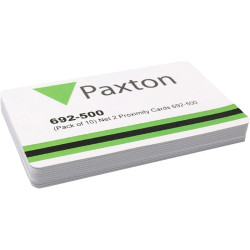
Brand: Paxton
Model: PAX-692-500
Paxton Net2 ISO Proximity Cards (692-500)
Genuine Paxton 692-500 cards for the Paxton Net2 access control system. Each card uses 125kHz proximity technology and comes pre-encoded with a unique 8-digit number, so Net2 recognises every user individually.
To enrol a card, tap it on your Net2 desktop reader, enter the user's details and assign their access rights. Staff, visitors and contractors then open doors by simply presenting the card to any Net2 reader.
The cards are ISO standard with a blank white front and back, so they print on all standard desktop ID card printers. Add a photo, name, logo or department colour to turn the access card into a full photo ID badge. If you would rather we print or personalise them for you, please contact us.
Specification
Manufacturer part number: Paxton 692-500
System: Paxton Net2
Technology: 125kHz proximity, unique 8-digit ID
Size: ISO card, 86mm x 55mm x 0.85mm
Finish: blank white, printable both sides
Pack size: 10 cards
Paxton10 compatible: Paxton10 readers also read Paxton proximity tokens, so these can be used on a Paxton10 system as well as Net2.
Frequently asked questionsWill Paxton 692-500 cards work with my Net2 system?Yes. The 692-500 is Paxton's Net2 proximity ISO card without a magnetic stripe. It runs at 125kHz and is enrolled through the Net2 software.Can I print photos on these cards?Yes. Paxton confirms that dye sublimation ID card printers which print direct to plastic work with Net2 ISO cards. The 692-500 has no signature strip or magnetic stripe to work around.How do I enrol a 692-500 card?Present it to a Net2 desktop reader. The new user wizard opens with the card number filled in so you can add the user's details and access level.What size is the 692-500 card?Paxton lists it at 86 x 55mm and 0.85mm thick, supplied in packs of 10.{"@context": "https://schema.org", "@type": "FAQPage", "mainEntity": [{"@type": "Question", "name": "Will Paxton 692-500 cards work with my Net2 system?", "acceptedAnswer": {"@type": "Answer", "text": "Yes. The 692-500 is Paxton's Net2 proximity ISO card without a magnetic stripe. It runs at 125kHz and is enrolled through the Net2 software."}}, {"@type": "Question", "name": "Can I print photos on these cards?", "acceptedAnswer": {"@type": "Answer", "text": "Yes. Paxton confirms that dye sublimation ID card printers which print direct to plastic work with Net2 ISO cards. The 692-500 has no signature strip or magnetic stripe to work around."}}, {"@type": "Question", "name": "How do I enrol a 692-500 card?", "acceptedAnswer": {"@type": "Answer", "text": "Present it to a Net2 desktop reader. The new user wizard opens with the card number filled in so you can add the user's details and access level."}}, {"@type": "Question", "name": "What size is the 692-500 card?", "acceptedAnswer": {"@type": "Answer", "text": "Paxton lists it at 86 x 55mm and 0.85mm thick, supplied in packs of 10."}}]}
Product documentsManufacturer documentation from Paxton for this product:Paxton ..
£26.50
Inc Tax:£31.80

Brand: Paxton
Model: pax-693-112
Pack Size: 10 pack
Manufacturer Code: 693-112
Technology: Net2
Our 10-pack of Paxton Net2 Proximity Clamshell cards are suitable for Paxton-compatible access control systems, allowing users to enter and exit the premises securely. These discreet clamshell-shaped cards are designed with a handy slot punch so that they can be attached to your keys or lanyards. They are thick cards produced with a thick clamshell with a rigid outer layer so the proximity cards can withstand harsh and wet conditions.
These cards are unsuitable for direct-to-card printing, but you can print your logos and personalised designs on an adhesive and stick the design on the Paxton Clamshell card.
Paxton10 compatible: Paxton10 readers also read Paxton proximity tokens, so these can be used on a Paxton10 system as well as Net2.
Frequently asked questionsWhat is a Net2 proximity clamshell card?A 125kHz Net2 card made from ABS plastic. At 86 x 55 x 2mm it is thicker than a standard ISO card.How do I enrol the 693-112 clamshell card?Enter the user's details in the Net2 software and present the card at the desktop reader to record its number. It is then ready to use at the doors in the user's access level.How secure is the clamshell card?It uses Paxton's Hitag2 technology with proprietary encoding. The card and reader exchange a password before the number is accepted.{"@context": "https://schema.org", "@type": "FAQPage", "mainEntity": [{"@type": "Question", "name": "What is a Net2 proximity clamshell card?", "acceptedAnswer": {"@type": "Answer", "text": "A 125kHz Net2 card made from ABS plastic. At 86 x 55 x 2mm it is thicker than a standard ISO card."}}, {"@type": "Question", "name": "How do I enrol the 693-112 clamshell card?", "acceptedAnswer": {"@type": "Answer", "text": "Enter the user's details in the Net2 software and present the card at the desktop reader to record its number. It is then ready to use at the doors in the user's access level."}}, {"@type": "Question", "name": "How secure is the clamshell card?", "acceptedAnswer": {"@type": "Answer", "text": "It uses Paxton's Hitag2 technology with proprietary encoding. The card and reader exchange a password before the number is accepted."}}]}
Product documentsManufacturer documentation from Paxton for this product:Paxton Net2 Proximity Clamshell Cards - Datasheet (PDF)..
£46.95
Inc Tax:£56.34

Brand: Paxton
Model: 692-053
Paxton Net2 Proximity ISO Cards with Magstripe & Signature Panel - Pack of 500 - 692-053
Manufacturer: Paxton
Manufacturer's SKU: 692-053
Pack Size: 500
Product Type: PVC Cards
Card Thickness: 760 micron
Technology: Net2, Mag Stripe, 125kHz Proximity
Format: ISOProx
Frequency: 125kHz
Card Size: 86mm (w) x 55mm (l) x 0.8mm (d)
About Paxton Net2 ISO Proximity Cards with Magstripe
Proximity cards for use with Paxton Net2 Access Control System
Supplied blank for your own customisation
Each card is programmed with a unique 8-digit number
Carrier Frequency: 125 kHz
Blank CR80 ISO card
With Magstripe
With signature panel
Made to work with your existing Paxton Net2 system, these 692-053 cards feature a magnetic stripe (magstripe). This means the card can be used with card swipe control units for access control or clocking in and out, for example. The cards also feature Net2 contactless technology so that they can be encoded and used with proximity control units.
Please see product 692-052 Paxton Net2 proximity cards if you require Paxton access cards without a magstripe.
This product is made of PVC plastic which is not commonly recycled in the UK. It, therefore, cannot be disposed of in your normal recycling refuse collection.
We recommend taking it to your local recycling centre for a securer and more eco-friendly disposal.
.recyclingbox{border-color:#032366;border:solid;border-width:5px;border-color:#032366;border-radius:200px;padding-right:5%;margin:auto;overflow:auto;max-width:740px}.recyclingsymbol{float:left;height:auto;width:150px;padding-right:5px}.recyclinginfo{padding-top:12px;font-family:Arial;font-size:14px}@media only screen and (max-width: 1199px){.recyclinginfo{padding-top:2%;font-size:12px}}@media only screen and (max-width: 991px){.recyclinginfo{padding-top:2%;font-size:1.5vw;padding-left:5%}.recyclingbox{border-radius:25px 50px}.recyclingsymbol{width:100px;height:auto}}@media only screen and (max-width: 500px){.recyclinginfo{padding:0px 4px 4px 25px;font-size:14px}.recyclingsymbol{height:auto;width:100px;float:none;margin:auto;display:block;padding-right:0px}.recyclingbox{height:auto;width:75%;border-radius:30px}}
Paxton10 compatible: Paxton10 readers also read Paxton proximity tokens, so these can be used on a Paxton10 system as well as Net2.
Frequently asked questionsWhat is the difference between 692-053 and 692-448?Both are Net2 ISO proximity cards with a magnetic stripe. The 692-053 is the larger pack of 500 for bigger roll-outs.Can I print a template that leaves the stripe clear?Yes. In the Net2 Card Designer, place a Blank Area object over the stripe area. Assign the template to a department to apply it to many users at once.Which desktop reader should I use to enrol them?The Net2 proximity and magstripe desktop reader 350-910 reads both proximity tokens and magnetic stripe cards over a USB connection.{"@context": "https://schema.org", "@type": "FAQPage", "..
£1,375.00
Inc Tax:£1,650.00

Brand: Paxton
Model: 830-010A
Paxton Switch 2 Proximity 10 Card Pack Amber
Manufacturer: Paxton
Product Type: PVC Cards, Proximity Cards
Card Thickness: 820 micron
Technology: Switch2
Format: ISOProx
Frequency: 125kHz
About the Paxton Switch 2 Proximity 10 Card Pack Amber 830-010A
Use with Compact and Switch2 systems
All users are valid after enrolment
A lost card can be voided with a shadow card
Additional packs can be added easily
Simple function cards are included
Choice of pack sizes
This product is made of a type of plastic which is not commonly recycled in the UK. It, therefore, cannot be disposed of in your normal recycling refuse collection.
We recommend taking it to your local recycling centre for a securer and more eco-friendly disposal.
.recyclingbox{border-color:#032366;border:solid;border-width:5px;border-color:#032366;border-radius:200px;padding-right:5%;margin:auto;overflow:auto;max-width:740px}.recyclingsymbol{float:left;height:auto;width:150px;padding-right:5px}.recyclinginfo{padding-top:12px;font-family:Arial;font-size:14px}@media only screen and (max-width: 1199px){.recyclinginfo{padding-top:2%;font-size:12px}}@media only screen and (max-width: 991px){.recyclinginfo{padding-top:2%;font-size:1.5vw;padding-left:5%}.recyclingbox{border-radius:25px 50px}.recyclingsymbol{width:100px;height:auto}}@media only screen and (max-width: 500px){.recyclinginfo{padding:0px 4px 4px 25px;font-size:14px}.recyclingsymbol{height:auto;width:100px;float:none;margin:auto;display:block;padding-right:0px}.recyclingbox{height:auto;width:75%;border-radius:30px}}
Frequently asked questionsHow do I start using a pack of 10 amber Switch2 proximity cards?Present the enrolment card from the pack to the reader. Once it beeps and the LEDs light, all 10 user cards in the pack are valid at that reader. Do the same at every reader on the site.What is the shadow card for?Each user card has a matching shadow card. Write the user's name on the shadow card when you issue the card and keep it safe, because presenting that shadow card at each reader is how a lost card is barred.Which function cards come in the pack?Paxton includes a door open time card, a silent operation card and a fail open release card along with the enrolment card. Zone, time zone and bar all users cards come in a separate function card pack.Can I add these cards to an existing Switch2 system?Yes. At each reader show the enrolment card of an active pack, followed by the new pack's enrolment card. The new cards then work at that reader.{"@context": "https://schema.org", "@type": "FAQPage", "mainEntity": [{"@type": "Question", "name": "How do I start using a pack of 10 amber Switch2 proximity cards?", "acceptedAnswer": {"@type": "Answer", "text": "Present the enrolment card from the pack to the reader. Once it beeps and the LEDs light, all 10 user cards in the pack are valid at that reader. Do the same at every reader on the site."}}, {"@type": "Question", "name": "What is the shadow..
£66.50
Inc Tax:£79.80

Brand: Paxton
Model: PAX-010-427
Paxton10 ISO Printable Proximity Card - 010-427 - 10 Pack
Manufacturer Part Number: 010-427
SKU: PAX-010-427
Pack Size: 10
Product Type: PVC Cards
Card Thickness: 850 micron
Technology: Paxton10
Format: ISOProx
Frequency: 125kHz
Card Size: 86mm (w) x 55mm (l) x 0.85mm (d)
Paxton10 ISO printable proximity cards are an ideal solution for premium access control. The blank cards are ideal for printing employee or student ID, and you can produce your designs using any desktop ID card printer. At 0.85mm thick, they are durable enough to withstand daily use and any wear and tear.
Made for the Paxton10 system.
Utilise these cards to create a customisable solution for access control. Keep your establishment safe in an attractive and unique way. These printable proximity card come in a pack of 10.
Features and Benefits:
• Impressive durability, with a thickness of 0.85mm.
• These proximity cards have a frequency of 125kHz.
• These cards are completely customisable, create unique designs with any plastic card printer.
Frequently asked questionsDo Paxton10 010-427 cards work on Paxton10?Yes. They are Paxton10 cards running at 125kHz, sold in packs of 10.What warranty do Paxton10 cards have?Paxton gives them a lifetime warranty.What size are they?Paxton lists 86 x 55mm and 0.85mm thick, with an operating temperature of -20°C to +55°C.How do I add a card to a person?With the Paxton10 software open, hold a new card to the desktop reader. Paxton10 sets up a new person with that card. Type a name and click Save.{"@context": "https://schema.org", "@type": "FAQPage", "mainEntity": [{"@type": "Question", "name": "Do Paxton10 010-427 cards work on Paxton10?", "acceptedAnswer": {"@type": "Answer", "text": "Yes. They are Paxton10 cards running at 125kHz, sold in packs of 10."}}, {"@type": "Question", "name": "What warranty do Paxton10 cards have?", "acceptedAnswer": {"@type": "Answer", "text": "Paxton gives them a lifetime warranty."}}, {"@type": "Question", "name": "What size are they?", "acceptedAnswer": {"@type": "Answer", "text": "Paxton lists 86 x 55mm and 0.85mm thick, with an operating temperature of -20°C to +55°C."}}, {"@type": "Question", "name": "How do I add a card to a person?", "acceptedAnswer": {"@type": "Answer", "text": "With the Paxton10 software open, hold a new card to the desktop reader. Paxton10 sets up a new person with that card. Type a name and click Save."}}]}
Product documentsManufacturer documentation from Paxton for this product:Paxton10 Proximity Cards - Datasheet (PDF)..
£44.00
Inc Tax:£52.80
Showing 1 to 25 of 25 (1 Pages)