


























































In short: To deal with a lost Net2 token, open the user's record in Net2, go to the Tokens tab, select the missing card or fob and click Lost token. It is barred from every door at once and any attempt to use it is logged as a Lost Token event. Then enrol a replacement on the same user record, which keeps their existing access level. If the old token is found, click Found to bring it back.
A lost Net2 token is easy to deal with if you act quickly. These steps follow Paxton's application notes on invalidating users and tokens and on adding users. They apply to every Net2 token, from ISO cards to hands-free fobs.
Should you mark a lost Net2 token as lost or delete it?
Marking a token as lost bars it at every door straight away and keeps watch for it. If anyone presents it to a reader on the system, Net2 refuses entry and records an alarm event. That tells you when and where someone tried to use it.
Deleting a token removes it from the database completely. A deleted token can be reissued to a new user, so deletion suits a token that has been returned rather than one that is missing.
How do you bar a lost Net2 token?
- Open the Net2 software and find the user. Use the Users list or the department they belong to.
- Open their user record and click the Tokens tab.
- Select the missing token in the list. If the user has several tokens, check the number so you pick the right one.
- Click Lost token. Net2 bars that token from all doors immediately.
- Click Apply so the change goes to the door controllers.
Only the lost token is affected. Any other tokens on the same record keep working.
How do you issue a replacement token?
- Stay on the user's Tokens tab.
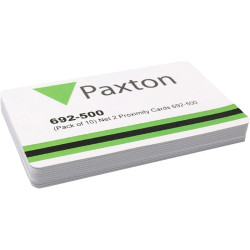
- Present a new, unused token to the Net2 desktop reader or type its number manually.
- Confirm the new token appears in the list.
- Test it at a door the user is allowed through.
The access level belongs to the user record rather than the token, so the replacement opens the same doors at the same times as before. If the person also carries a photo ID card, you can print the replacement from the same record. Our guide to ID card security features covers ways to make printed cards harder to copy.
How do you check whether a lost Net2 token has been used?
Every user record has an Events tab listing that user's activity, which you can sort by any column. Look for Lost Token events against the barred token. They show the reader and time of each attempt, which is useful if the token was stolen rather than mislaid.
What if the lost token turns up again?
You have two options:
- Reinstate it. Select the token in the user's Tokens tab and click Found. It works again on that user's record.
- Delete and reuse it. If the user already has a replacement, delete the old token. It can then be issued to someone else.
Should you bar the user instead?
Bar the user, not just the token, when the person should not get in at all, for example when they have been asked to leave. The Bar user button blocks that user at every door straight away, whatever tokens they hold.
The Delete record button removes the whole user record from the database. Paxton warns that this cannot be undone, so keep it for records you no longer need.
Can you bar a lost token away from the Net2 PC?
Yes. In Paxton Connect Admin and the Net2Online web interface, open the user from the Users section. From there you can issue a new token, bar the user or delete them. To add a replacement without a desktop reader, hold it to any Net2 reader so it logs an "access denied, unknown credential" event, then add it to the user's record from that event.
What if a door still opens or refuses the wrong token?
Changes only reach a door if its control unit is online. In the Doors screen each control unit should show a tick. A cross means it is offline and is not receiving token updates. A supervisor can select the control units and click Reinstate to send the user information again. If units stay offline, contact your installer.
What about Switch2 or other standalone tokens?
Switch2 and Compact systems have no software, so there is no Lost token button. Instead each user token has a shadow card, which you present at every reader to bar the missing token. Switch2 tokens are on our Paxton fobs page and Net2 replacement cards are on our Paxton cards page.