























In short: Switch2 tokens work on Paxton's standalone Switch2 and Compact systems, so there is no PC and no software. They arrive in packs where every user card or keyfob is paired with a shadow card, plus an enrolment card that switches the whole pack on at each reader. Lost tokens are barred by presenting the matching shadow card. Settings such as door open time are changed with function cards rather than a screen.
This guide explains what is in a pack of Switch2 tokens, how enrolment and barring work and what each function card does. All steps come from Paxton's instruction leaflets and application notes.
What are Switch2 and Compact systems?
Switch2 is a single door control unit. It is fitted on the protected side of the door with the reader on the outside and it keeps every access permission inside the unit, so tampering with the reader does not unlock the door. Paxton positions it for doors that need controlled entry without the movement reports a PC based system provides.
A Compact reader combines the control unit and the reader in one housing. Paxton describes Compact as suited to lower security internal and external doors.
Both hold up to 100 token packs (as many as 5,000 users) and both keep their data for more than ten years if the power fails completely. The door open time can be set anywhere from 1 to 60 seconds.
If you are not sure whether your doors run Switch2 or Net2, our guide to access control cards and fobs shows how to tell the systems apart.
What comes in a pack of Switch2 tokens?
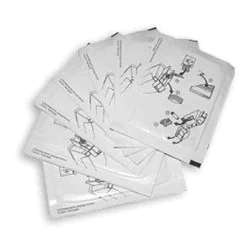
Paxton sells proximity token packs for standalone systems in quantities of 10 and 50, as cards or keyfobs. Each pack contains:
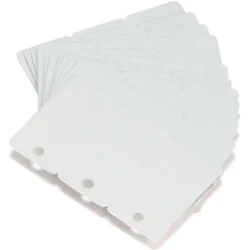
- the user tokens, each paired with its own shadow card
- an enrolment card that validates the pack at a reader
- a door open time card for changing how long the lock releases
- a silent operation card that stops the reader beeping
- a fail open release card for doors fitted with a fail open lock
In keyfob packs each fob sits in a plastic pouch with its shadow card. A card wallet is included for keeping the shadow cards after the fobs are issued.
Which Switch2 tokens can you buy from Plastic-ID?
Standalone Switch2 tokens come in three colours: green, amber and red. The colour matters only if you plan to use colour zoning, which is explained below.
- Green keyfobs: Switch2 proximity keyfob pack of 10, 820-010G or pack of 50, 820-050G
- Amber keyfobs: pack of 10, 820-010A or pack of 50, 820-050A
- Red keyfobs: pack of 10, 820-010R or pack of 50, 820-050R
- Proximity cards: green pack of 10, 830-010G, amber pack of 10, 830-010A or the pack of 50, 830-050
How do you enrol a new Switch2 token pack?
On a brand new system the first pack is switched on with its own enrolment card:
- Take the enrolment card out of the new pack.
- Present it to the reader.
- Wait for the beep and for the LEDs to light.
- Every user token in that pack is now valid. Put the enrolment card back in its pack.
Adding a second pack needs both enrolment cards. Show the reader the enrolment card of a pack that is already active, followed by the new pack's enrolment card. The reader confirms and returns to three solid LEDs, after which the new tokens work.
Enrolment happens reader by reader. Repeat it at every reader on the site or the new tokens will only open some of the doors.
How do shadow cards work?
All Switch2 tokens come with a partner shadow card. When you hand a token to someone, write their name on the matching shadow card and keep the pack somewhere secure. That shadow card is the only way to cancel the token later.
Paxton warns against issuing tokens to more than one person at the same time. If unmarked tokens and shadow cards get mixed up, you can no longer be sure which shadow card cancels which token.
How do you bar lost Switch2 tokens?
- Find the shadow card with the user's name on it.
- Present it to a reader. That reader now refuses the lost token and flashes red if anyone tries it.
- Repeat at each reader on the site.
If the token turns up again, show the reader the enrolment card and then the token. The reader will accept it once more.
What do Switch2 function cards do?
Door open time card. Present it once and the reader starts beeping. Wait for the length of time you want the door to stay unlocked, then present it again to stop the beeping and save that time.
Silent operation card. Switches the reader between normal beeping and silent use for quiet areas. Paxton's Compact reader datasheet lists silent operation as supported, while the Switch2 control unit datasheet lists it as not supported, so check which you have.
Fail open release card. Reverses the lock output so the system can drive a fail open lock.
Paxton also offers a separate function card pack with extra cards. It includes a zone card for each colour, a time zones card and a bar all users card. The bar all users card blocks every token at that reader so you can re-enrol just a few. Paxton notes it can only be reversed by resetting the system.
How does colour zoning work on Switch2?
Colour zoning lets a reader accept some token colours and refuse others. Presenting the green zone card to a reader turns its green LED off and green tokens stop working there. Presenting it again restores them. The amber and red zone cards work in the same way.
Paxton's example gives members green tokens, administrators amber and managers red, with certain offices set to accept only amber and red or only red. Zoning on Switch2 works with Paxton proximity readers. A time clock wired to the control unit can also switch between two sets of colour zones, for example to separate day and night shifts.
What if the enrolment card is lost?
Paxton offers two routes. Where security matters, buy a new pack, have your installer data reset every system on site, initialise with the new enrolment card and reissue tokens from the new pack. Where it matters less, Paxton can supply a replacement enrolment card after checking your site details against an order card or function card. Be aware that the lost original would still enrol extra packs onto your readers.
Where do CARDLOCK cards fit in?
CARDLOCK is the swipe card option. Cards are swiped through a CARDLOCK reader, which Paxton lists as compatible with both Switch2 and Net2. A new site starts with a starter pack of user cards, function cards and an order card that holds the site code.
Extra CARDLOCK cards are made for your site. Paxton's process is to send the order card to your supplier with the order, so the new cards arrive already coded for your site and work straight away without enrolment. Losing the order card is a security issue: Paxton's recommended fix is a new starter pack with a new site code. We stock green, amber and red CARDLOCK cards.
See all of our standalone and Net2 tokens on the Paxton page.