









































In short: Paxton Net2 cards and fobs are the credentials a Net2 access control system reads at the door. Most run at 125kHz and they are all enrolled the same way: you present or swipe the token at a Net2 desktop reader and the software opens a new user record for it. The real choice is about how people will carry the token. Pick an ISO card if it doubles as a photo ID badge, a keyfob for a keyring, a WatchProx for a wrist strap and a hands-free token where people should not have to stop at the reader.
This guide compares the Net2 cards and fobs we stock using Paxton's own datasheets. If you are not yet sure which Paxton system is on your doors, start with our guide to identifying access control cards and fobs, which covers how Net2, Switch2 and Paxton10 differ.
What are Paxton Net2 cards and fobs?
A Net2 token is a small radio credential that carries a number. When it is held near a Net2 reader, the control unit looks that number up against the user's access level and decides whether the door opens. In the Net2 software the default reader setting expects Paxton's own Net2 encoded tokens, which each carry a random 8 digit number.
Paxton builds its Net2 proximity tokens on Hitag2 technology with its own encoding. Before the number is accepted, the token and the reader exchange a password, which gives the system an extra check against simple copies.
A user can hold more than one token at once. That means a member of staff can carry a printed photo card for daytime use alongside a hands-free fob for the car park barrier, both linked to the same user record.
Which Net2 card and fob formats are available?
| Token | Paxton code | Key facts from the datasheet | Best for |
|---|---|---|---|
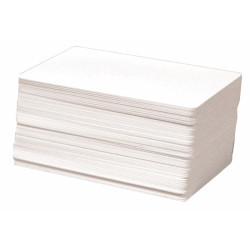
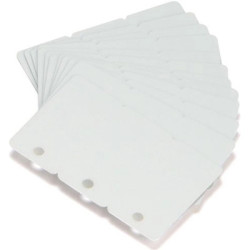
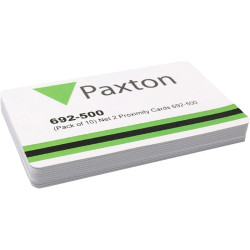
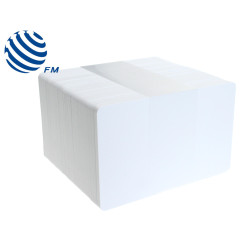
| Proximity ISO card, no magstripe | 692-500 (10) or 692-052 (500) | 125kHz, 86 x 55 x 0.85mm, no signature strip | Photo ID badges printed in house |
| Magstripe card | 695-573 | Magnetic stripe plus signature strip, 86 x 55 x 0.85mm | Sites with swipe readers |
| Proximity clamshell card | 693-112 | 125kHz, ABS plastic, 86 x 55 x 2mm | A thicker card that is not printed |
| Proximity keyfob | 695-644 | 125kHz, ABS plastic, 45 x 14 x 10mm, rated IPx7 for up to 30 minutes | Keyrings and everyday door entry |
| Hands-free keyfob | 690-222 | CR2032 battery, 49 x 28 x 11mm, works from 0°C to +55°C, not moisture resistant | Gates, barriers and loading doors |
| Hands-free keycard | 690-333 | CR2430 battery lasting typically 12 months, 85 x 55 x 9mm | Card holders who need hands-free entry |
| WatchProx | 698-574 (silver or black) | 125kHz, nylon, IP67, fits a watch or bracelet | Wet or active environments |
Paxton supplies the ISO cards, clamshell cards, magstripe cards, keyfobs and WatchProx tokens in packs of ten. The ISO card without a stripe also comes in a pack of 500 for larger roll-outs.
Which Net2 ISO card should you choose?
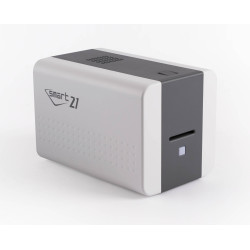
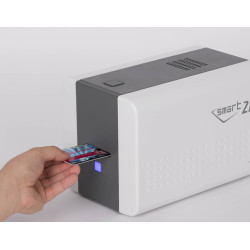
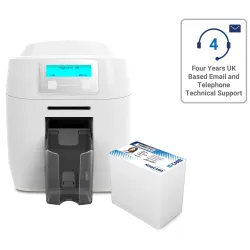
The Paxton Net2 ISO proximity card 692-500 is the standard choice. Paxton confirms that dye sublimation ID card printers which print direct to plastic work with Net2 ISO cards, so the same card can open doors and show a photo. For a whole-site launch the 692-052 pack of 500 holds the same card in bulk.
Net2 treats a plain proximity ISO card and a proximity ISO card with a magnetic stripe as separate token types. If your site also uses swipe equipment, look at the Net2 ISO proximity card with magstripe 692-448 or the pack of 500 (692-053).
The Net2 magstripe card 695-573 is a different product. Its datasheet lists a magnetic stripe and a signature strip but no proximity carrier frequency, so treat it as a swipe card rather than one you hold up to a proximity reader.
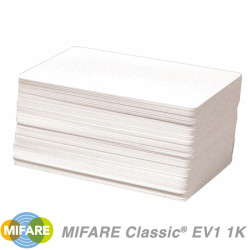
We also stock a printable Paxton Net2 MIFARE card 692-148 for sites that read 13.56MHz tokens. Check your readers before you order it. Paxton's P50 MIFARE reader 353-467 reads Paxton, EM and MIFARE tokens (using the MIFARE serial number only), while the standard P50 reader 353-110 lists Paxton, EM and HID Prox (after activation) and does not list MIFARE.
When does a keyfob, clamshell or WatchProx make more sense?
Choose the Net2 proximity keyfob 695-644 when nobody needs a photo on the credential. It is small enough for a keyring and Paxton rates it IPx7 for up to half an hour of immersion.
The Net2 proximity clamshell card 693-112 is card shaped but 2mm thick, more than double the depth of an ISO card. It suits people who want a card in a wallet or holder without printing on it.
The Net2 WatchProx 698-574 fastens to a watch or bracelet and carries an IP67 rating, which makes it a sensible pick where hands are often wet or a card would get in the way. You can also see our Net2 self-adhesive discs 660-100 in the same range.
How do Net2 hands-free tokens work?
A hands-free token contains a battery. A compatible Paxton reader fitted with a hands-free interface wakes the token as the user approaches and the token sends its number to the interface over a 2.4GHz link. The door can release while the token stays in a pocket or bag.
Paxton points to gates, barriers, loading doors and entrances used by disabled or elderly people as typical places for hands-free entry. Both the Net2 hands-free keyfob 690-222 and the Net2 hands-free keycard 690-333 also contain a standard proximity chip. At an ordinary Paxton proximity reader without an interface they behave like a normal token that you present to the reader.
The quoted maximum hands-free ranges depend on the reader: up to 850mm on a P38, 1,100mm on a P50, 1,500mm on a P75, 2,500mm on a P200 and 5,000mm on the long range reader. The keycard datasheet also lists a press button mode with a maximum of 50m. Paxton stresses that these are best case figures and site conditions can reduce them.
How close does each token need to be to a P50 reader?
Read range varies by token as well as by reader. These are Paxton's figures for the two P50 readers we stock:
| Token | P50 reader 353-110 | P50 MIFARE reader 353-467 |
|---|---|---|
| Keyfob | 50mm | 30mm |
| ISO card | 80mm | 60mm |
| WatchProx | 35mm | 10mm |
| Hands-free token | 1.1m with a hands-free interface | 30mm |
Paxton also advises against mounting proximity readers on metal or close to another proximity reader, because both reduce the read range.
How do you choose between Net2 cards and fobs?
- Need a photo ID as well as door access? Use a Net2 ISO proximity card and print it yourself.
- Some readers on site are swipe readers? Use an ISO card with magstripe so one card covers both.
- Prefer something on a keyring? Use the Net2 proximity keyfob.
- Working in wet conditions? The WatchProx is rated IP67 and the keyfob IPx7 for up to 30 minutes.
- Vehicles, barriers or accessible entrances? Use a hands-free keyfob or keycard with a reader that has a hands-free interface.
- Doors with MIFARE readers? Confirm the reader model, then consider the printable MIFARE card.
Browse the full range on our Paxton cards and Paxton fobs pages.
How are new Net2 cards and fobs added to the system?
All Net2 cards and fobs are enrolled through the Net2 software. With a Net2 USB desktop reader 514-326 plugged into the PC, presenting an unknown token brings up the new user wizard with the token number already filled in. Presenting a token that Net2 already knows opens its owner's record instead, which is a quick way to identify a card that has been handed in.
The USB desktop reader reads Paxton, EM and MIFARE tokens (MIFARE by serial number only). The Net2 proximity and magstripe desktop reader 350-910 reads proximity tokens and also accepts swiped magstripe cards.